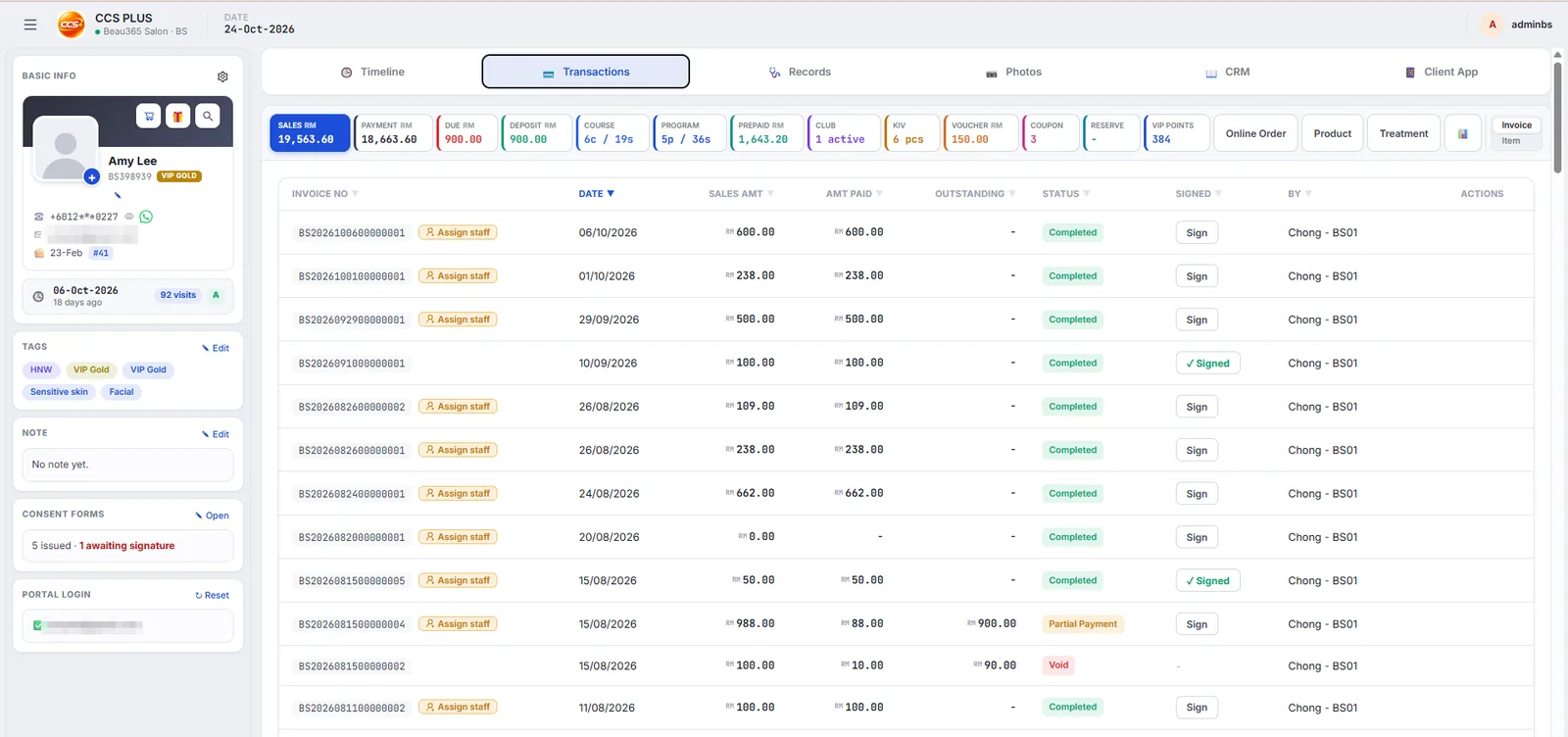
Short answer: The CCS Plus CRM puts each customer's packages, credit, debts, history and tags on one page, uses customer retention rate (CRR) reports to show who is about to lapse, and hands follow-up tasks to staff on WhatsApp. You decide what staff can see, so customer data doesn't leave with them.
One customer, one page
Member number, tier, sessions left, prepaid balance, points, coupons, debts and purchase history are all visible the moment the customer sits down.
From records to retention
| CRM job | How CCS Plus does it |
|---|---|
| Segment | Customer tags, no more flipping through books |
| Measure satisfaction | Retention rate (CRR): see whether customers keep coming back |
| Find who is lapsing | Smart alerts and customer list reports |
| Follow up | Assign staff and due dates, follow up on WhatsApp, responses saved to the profile |
| Earn reviews and rebookings | Smart Receipt: Google review invitation, one-tap rebooking |
| Self-service balances | Each salon has its own customer app |
When staff leave, customers stay
You set what each role can see, and can restrict login to the salon so staff can't see customer data from home. Each salon's data is separate, backed up daily, and designed in line with Malaysia's PDPA.
Frequently asked questions
Can the CCS Plus CRM show which customers are lapsing?
Yes. Retention rate (CRR) reports, customer list reports and smart alerts show who is about to lapse.
Will staff take customer data when they leave?
You decide what staff can see, and can restrict login to the salon so they can't see customer data from home.
Is customer data secure?
Each salon's data is separate, backed up daily and designed in line with Malaysia's PDPA, with an optional private AWS server.
Can I segment customers for marketing?
Yes, with customer tags, combined with WhatsApp follow-up.